
Category: Administrative Functions
VentureTel Call Analytics
VentureTel Call Analytics is a secure web-based reporting dashboard that provides real-time insights into business phone system activity. The dashboard allows users to analyze call data, including call volume, staffing needs, and trends, and provides features such as searching and exporting call logs. The app securely authenticates with the VentureTel platform and streams call records directly, processing and displaying data in interactive charts and tables. This helps businesses make informed decisions to improve customer experience, optimize staffing, and ensure their phone system scales with growth.
VentureTel Call Analytics is a secure, web-based reporting dashboard that allows you to log in and analyze your business phone system activity in real time.
What Is This App?
VentureTel Call Analytics is a browser-based dashboard that gives you visibility into how your phone system is performing. There is nothing to install — the app runs entirely in your web browser.
Securely authenticates you to your VentureTel phone system
Retrieves your Call Detail Records (CDRs)
Displays call activity in charts and tables
Allows searching and exporting call logs
Helps you understand call volume, staffing needs, and trends
All data is pulled directly from the VentureTel platform — nothing is manually entered or estimated.
How It Works (High-Level)
You log in using your VentureTel phone system credentials.
The app securely authenticates with the VentureTel platform.
An encrypted session is stored in secure HTTP-only cookies.
The dashboard streams call records directly from VentureTel.
Data is processed and displayed in interactive charts and tables.
Your login session is encrypted, and your credentials are never exposed to other users.
Available Reports
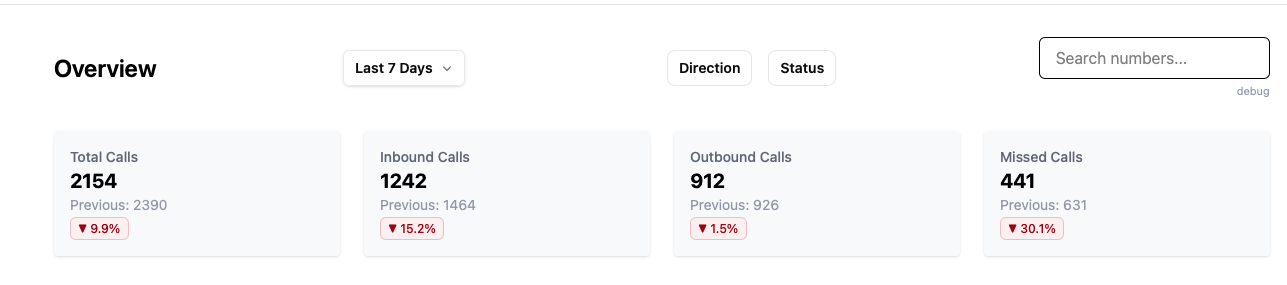
Key Stats
Provides quick, at-a-glance metrics for the selected date range, such as:
Total calls
Inbound vs. outbound volume
Answered vs. missed calls
Call duration summaries
Use this report when you need a fast overview of system performance.
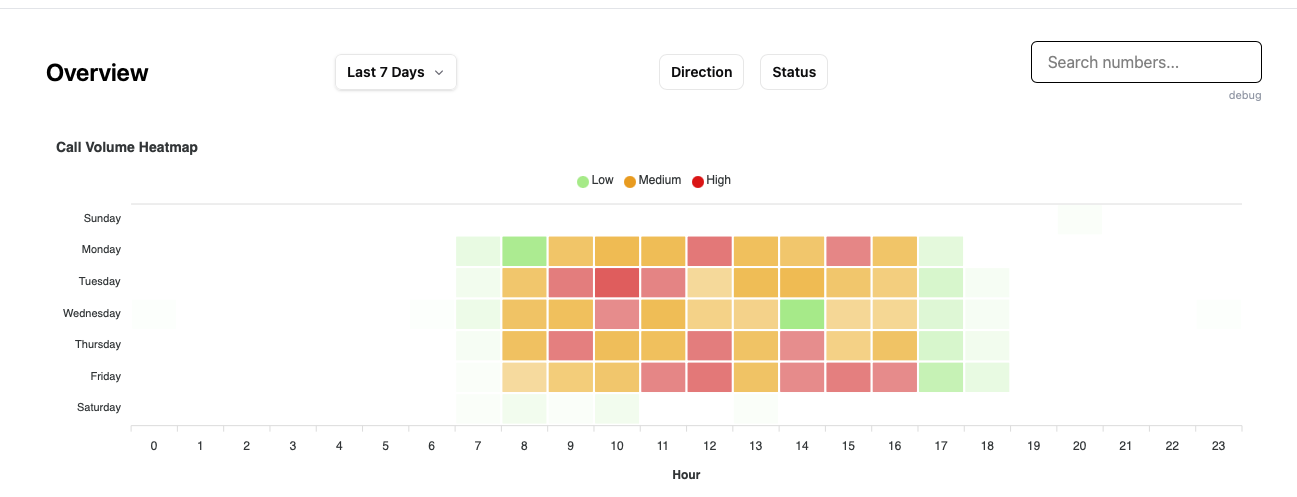
Heat Map
Displays call activity visually across time intervals.
Helps answer questions like:
What time of day is busiest?
Are certain days consistently heavier?
When should we schedule more staff?
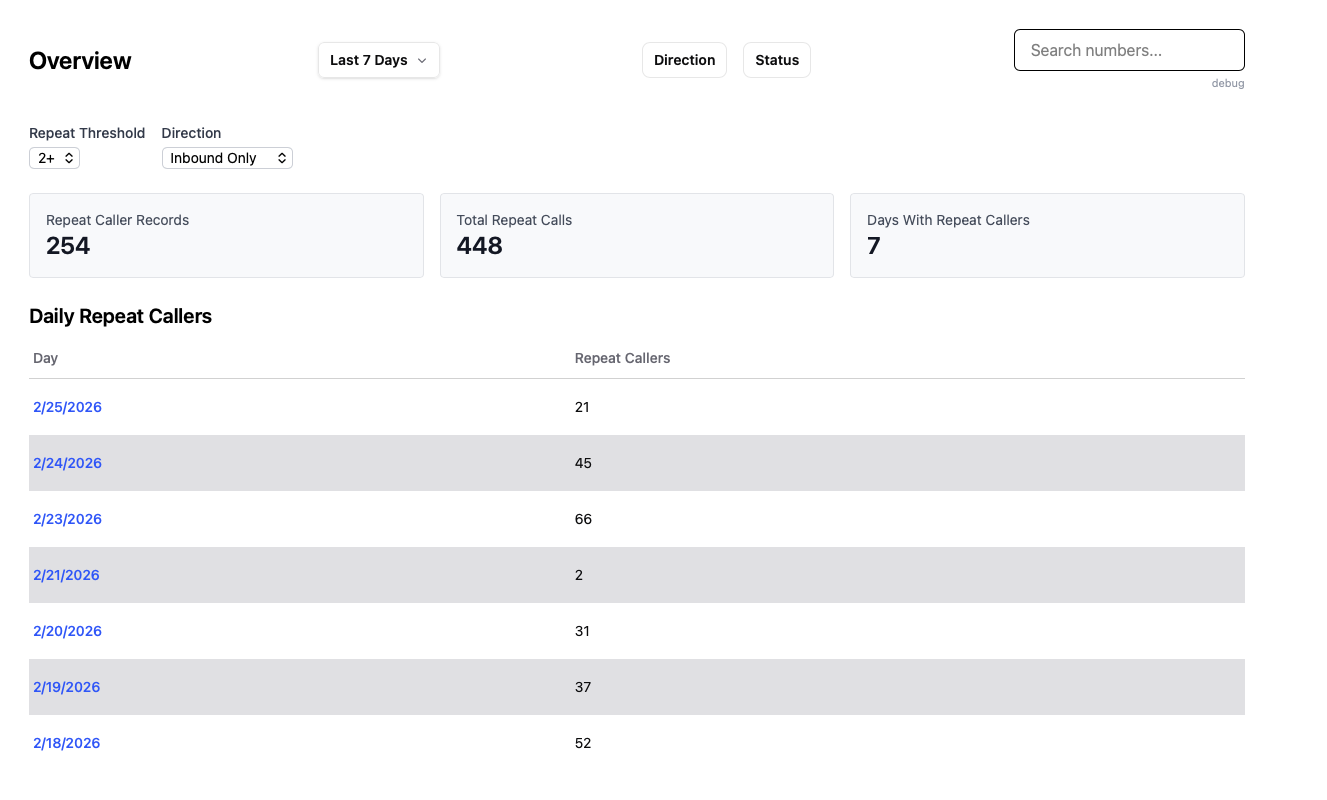
Repeat Callers (Alpha)
Identifies phone numbers that have called multiple times within the selected date range.
Useful for:
Spotting unresolved customer issues
Identifying high-touch clients
Detecting potential spam or nuisance callers
Note: This feature is currently in early release and may evolve.
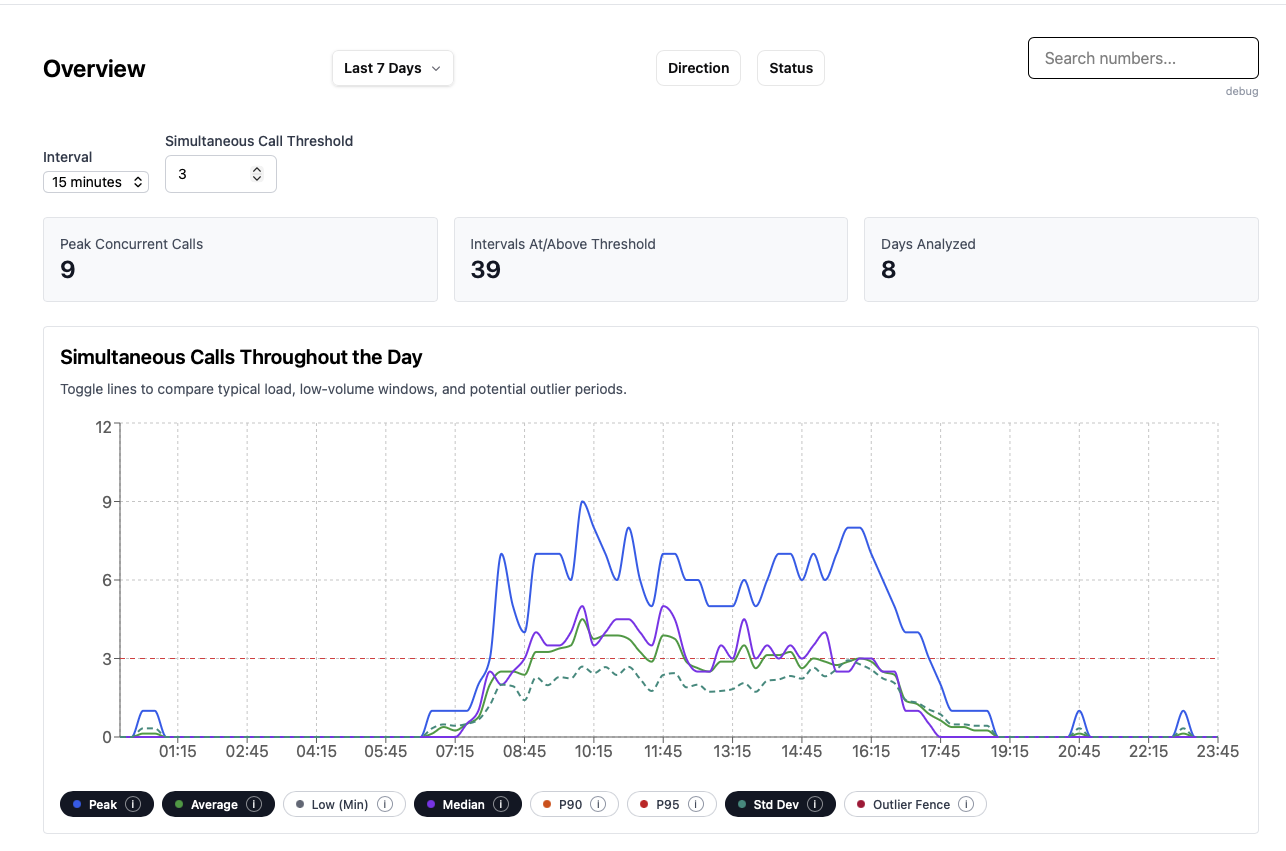
Peak Load Report (Alpha)
The Peak Load Report analyzes simultaneous call volume (concurrent calls) to help with:
Staffing decisions
Trunk capacity planning
Identifying overload risk
Infrastructure scaling
This report focuses on how many calls are active at the same time — not just total call counts.
Note: This feature is currently in alpha and may change as improvements are made.
Why Use Call Analytics?
Understanding your call data helps you make informed business decisions. Whether you're managing a small office or a large multi-location team, Call Analytics provides the insights you need to improve customer experience, optimize staffing, and ensure your phone system scales with your growth.